Firmware
To operate the robot arm, you need both high-level software running on your PC and low-level firmware running on the REF board and motor control boards.
Prerequisites
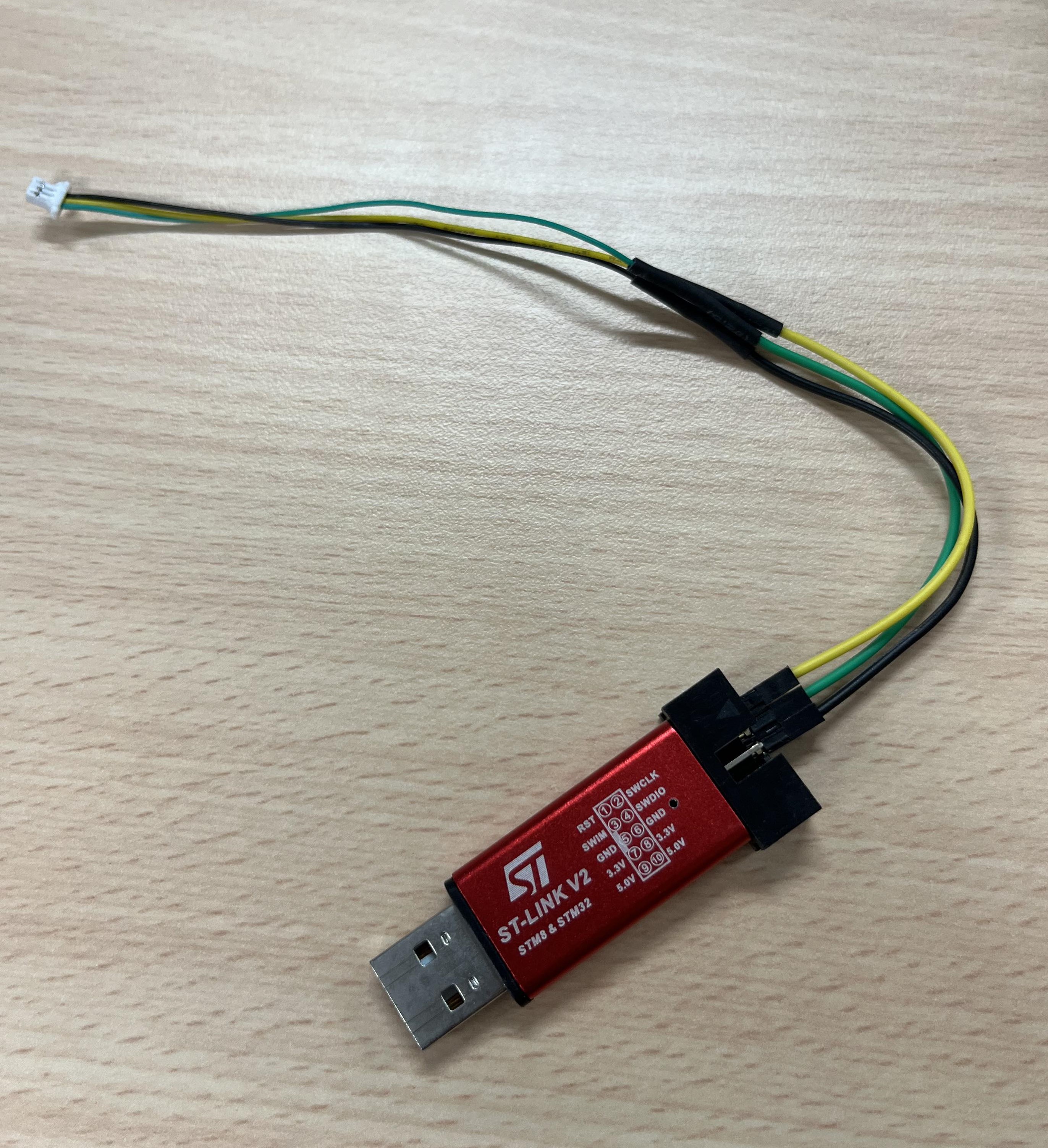
The microcontroller on the REF board is STM32F405RGT6, and the counterpart on the Motor control board is STM32F103CBT6. To upload code, you need to use an STlink and connect it to the dedicated CLK, SWDIO, and GND pins.
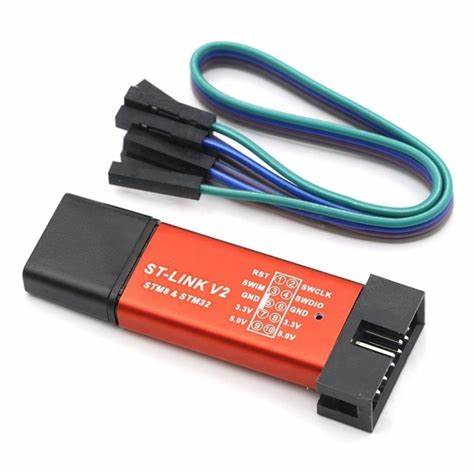
You also need to solder these three pinouts to a SH 1.0 3P connector like this:
Required Software
You'll need one of the following software options:
- Clion with STM32 build environment
- Detailed setup tutorial can be found here
- STM32CubeProgrammer
Here are a few things you need to know if you choose Clion
- The compiler need to be: arm-none-eabi-gcc-9-2019-q4-major-win32
- Recommended STM32CubeMX version is 6.5.0; choosing a higher version may lead to errors.
Codes for the boards
REF
Motor-42 and Motor-20 control board
Uploading
Clion
In Clion, you can directly press the "hammer" to compile and then press "run" to upload the firmware through STlink to the REF board.

STM32CubeProgrammer
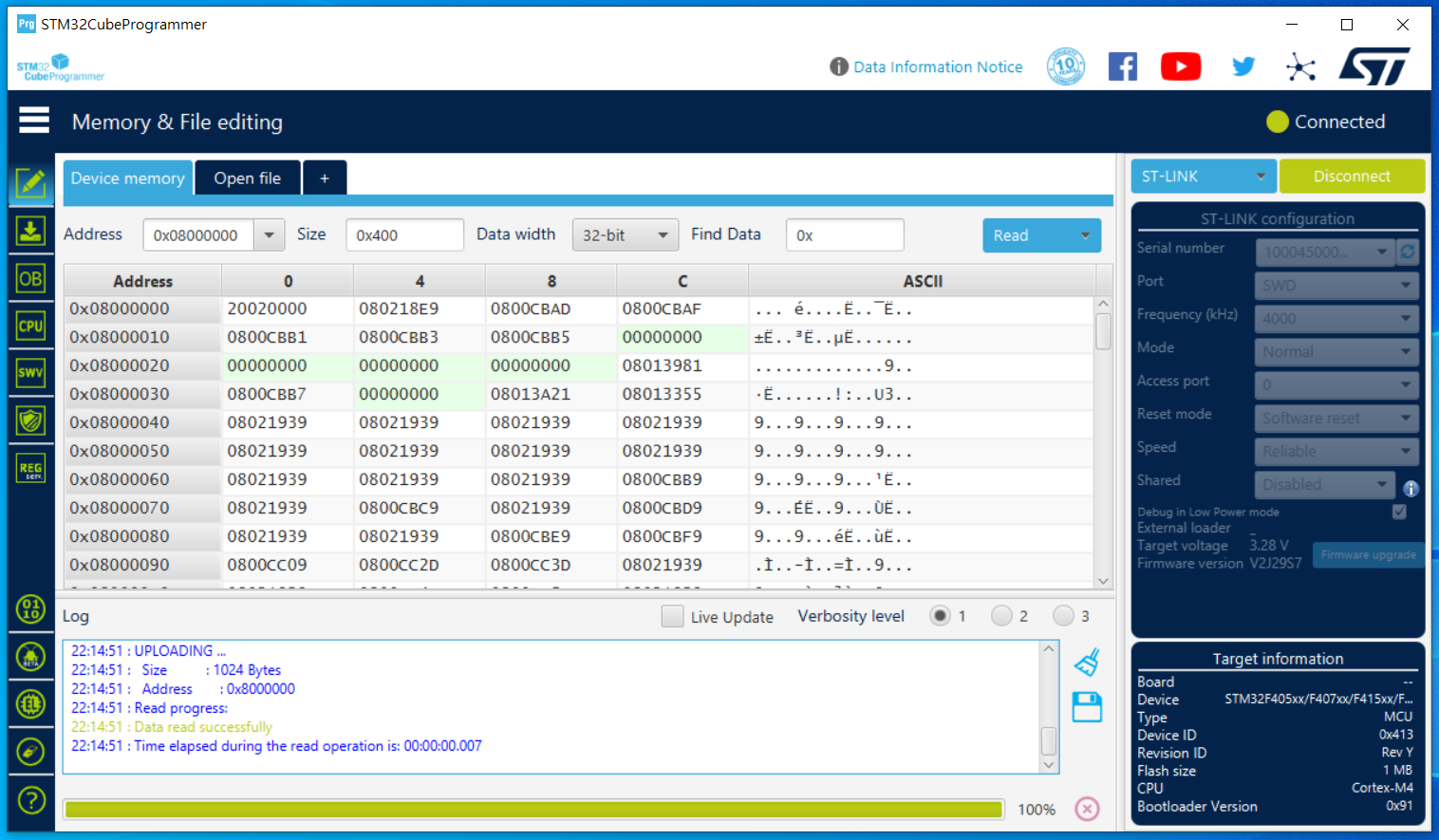
In STM32CubeProgrammer, follow these steps:
- Connect to the chip.
- Open the hex file and upload it to the REF board.
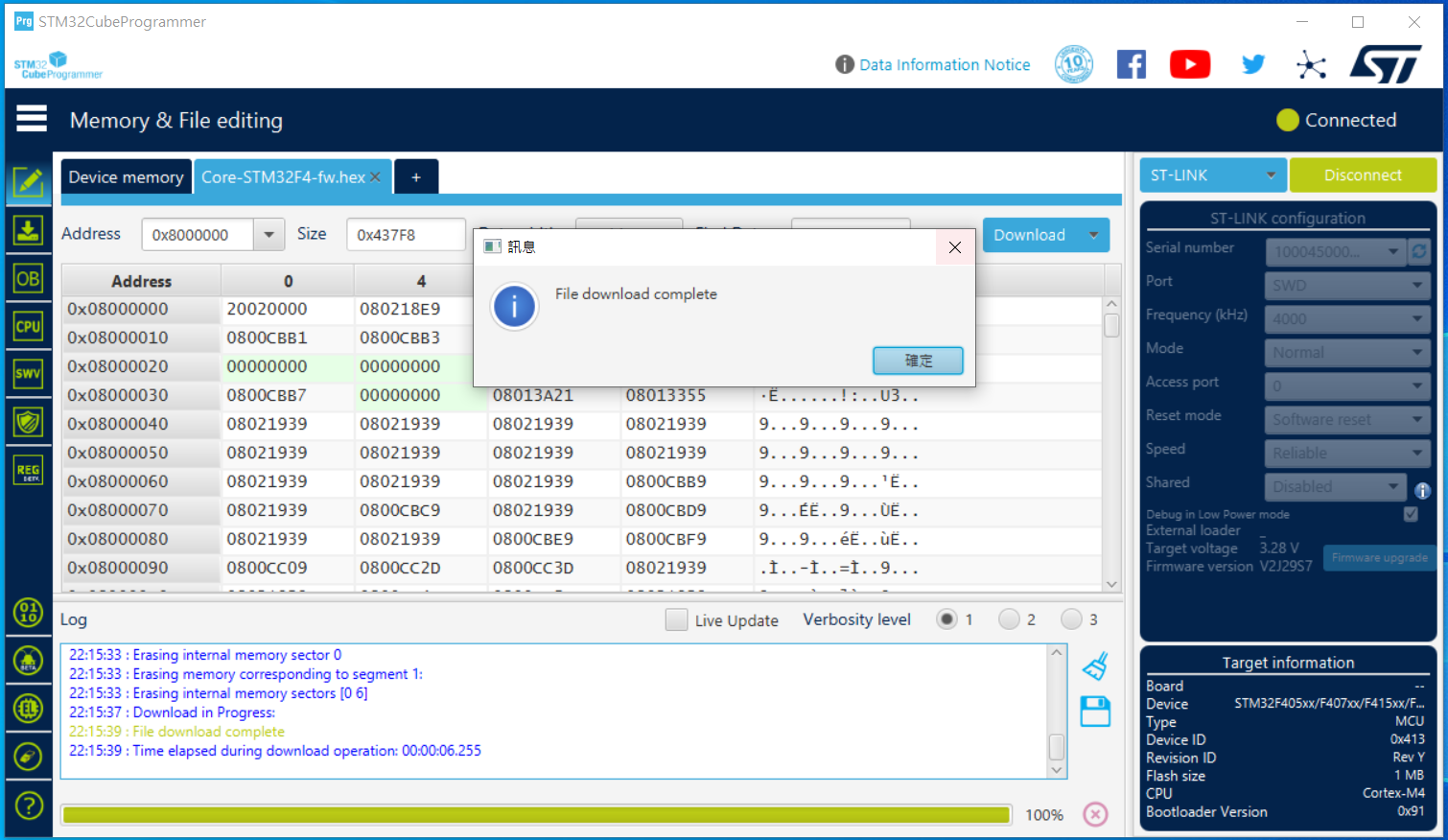
And you should be ready to go!